 Business Central
 Sales
Sales Customer Engagement
 Customer Service
 Field Service
 Power BI
 Power Apps
 Power Pages
 Power Automate
 Microsoft Fabric
 Finance
 Supply Chain
 Project Operations
 More Microsoft expertise
A Dynamics 365 Field Service specialist should connect dispatch decisions with the work technicians actually perform. Define the work-order lifecycle, scheduling constraints and mobile information needed at each visit before selecting a resource. Scheduling and mobile delivery can require different skills, particularly where offline use is important. Test with dispatchers and technicians under realistic conditions. Hire for the operational outcome: the right person arrives with useful information, records the result and leaves the next team able to act.
What to take from this guide
- Separate scheduling policy from mobile application configuration.
- Use realistic travel, skills and connectivity scenarios during testing.
- Include dispatchers, technicians and back-office owners in acceptance.
Follow a service visit from request to completion
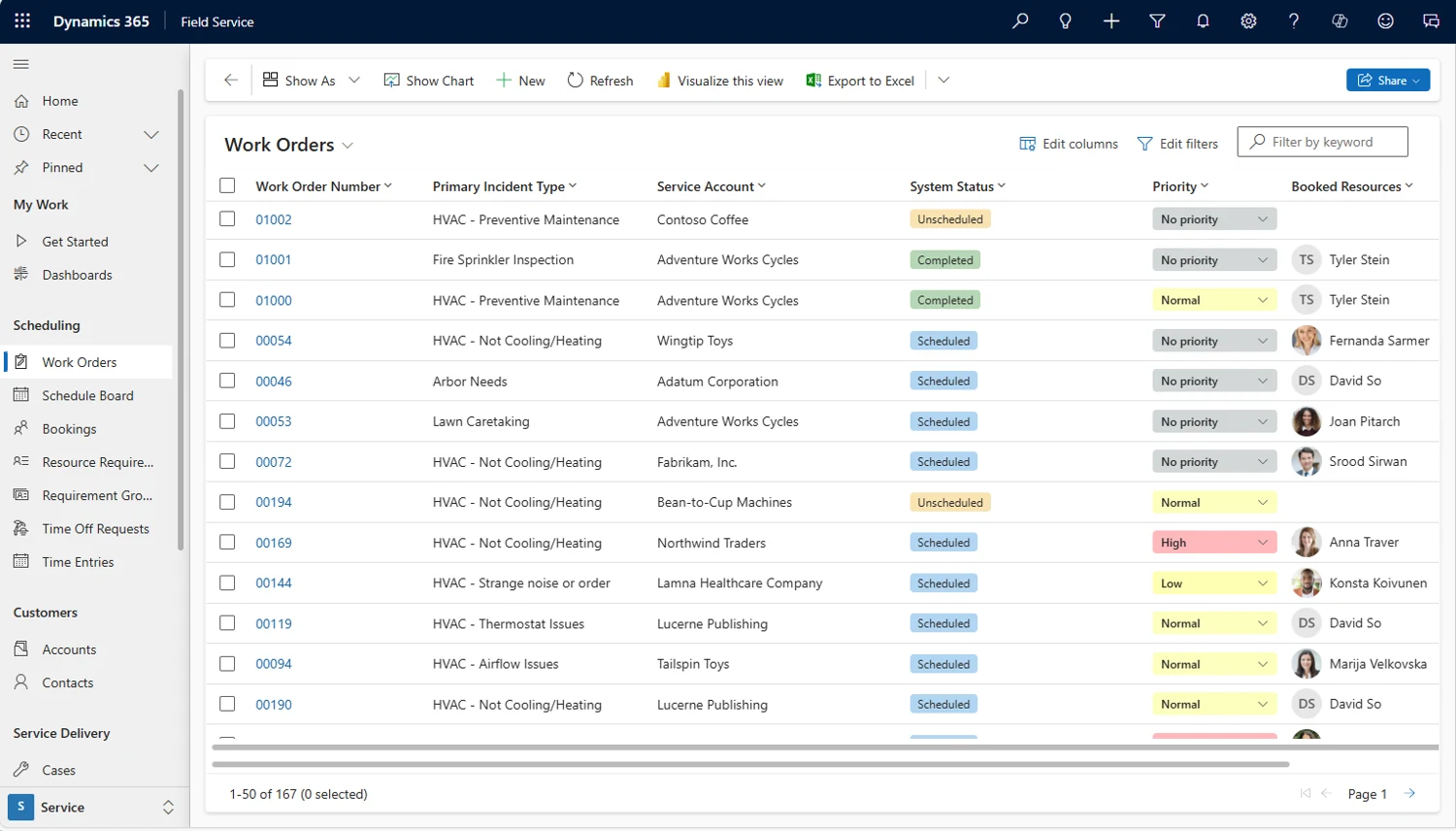
Start with a recent service visit and reconstruct the complete journey. Who received the request, identified the asset, decided the priority, booked the technician and confirmed the outcome? Where did people call each other because the system lacked information? This exercise exposes the resource requirement more effectively than a long list of application features.
A hypothetical industrial equipment supplier may have an excellent dispatch process but poor technician reporting. Another organisation may collect detailed visit notes while repeatedly sending technicians without the required skills. Those are different assignments. Describe the first outcome you need and the surrounding dependencies. Microsoft’s administrator guidance covers scheduling, mobile setup and related Field Service configuration areas. Use those areas to organise questions, while keeping business ownership explicit. The external specialist should improve the service journey with your operations team, not assume that every delay is a software problem.
Make scheduling constraints visible
Dispatchers balance skills, geography, availability, customer commitments and unexpected work. Write those constraints in business language before asking a consultant to configure scheduling. Distinguish a hard restriction from a preference. A technician lacking a required qualification may be unsuitable; a preferred technician being unavailable may simply require a customer conversation.
Ask the specialist how they would represent exceptions and show the dispatcher why a choice is appropriate. Include travel assumptions, breaks, work that takes longer than expected and jobs requiring more than one person. Avoid judging a scheduling design solely by how full the calendar appears. A tightly packed schedule can be fragile when visits overrun. Field Service scheduling specialists should be able to explain the trade-offs and the operational decisions that remain with dispatchers. The best initial design is usually one your team understands well enough to adjust deliberately.
| Constraint | Example decision |
|---|---|
| Required skill | Which technicians can perform the task |
| Customer availability | Which appointment windows are acceptable |
| Travel uncertainty | How dispatch accommodates likely variation |
| Unexpected absence | Who approves reassignment |
Design the technician’s working screen around the visit
A technician needs the information required to perform the assigned task safely and accurately, without searching through unnecessary customer detail. Identify the equipment, location, contact, agreed work, relevant history and expected completion evidence. Then decide what must be captured during the visit and what can be completed later by another team.
Observe technicians using a prototype with realistic gloves, lighting, device sizes and time pressure where applicable. Long forms that look acceptable on a desktop may be awkward at a customer site. Ask whether a photograph, measurement or short structured response provides useful evidence, and who will review it. Field Service mobile solutions specialists should discuss usability as well as configuration. Define the minimum successful visit record and keep optional information clearly separate so the application supports the work rather than becoming an additional administrative burden.
Treat offline readiness as its own workstream
Microsoft’s mobile documentation explains that an administrator configures an offline profile and defines what data is available offline and how changes are checked. That means offline readiness needs deliberate scope. It is not enough to demonstrate a mobile application while connected to reliable office Wi-Fi. Identify where technicians lose connectivity and which tasks must continue.
Test a realistic sequence: prepare the device, lose the connection, open a booking, record work and reconnect. Check that the technician can find the necessary asset and customer context without downloading excessive data. Agree how users recognise pending synchronisation and who investigates missing or conflicting information. Include device preparation and support instructions in the handover. The resource brief should describe connectivity conditions and device policies early, because these influence testing effort and may reveal dependencies outside the Field Service consultant’s direct control.
Need this expertise in your team?
Start with the workstream, expected outcome and working hours.
Connect field outcomes to back-office decisions
A completed visit may trigger customer communication, inventory review, follow-up work or invoicing preparation. Agree what completion means for each team. A technician marking work finished does not necessarily mean that a customer has accepted a charge or that all required evidence has been reviewed. Separate these decisions so nobody assumes another team has checked them.
Map the information required at each handoff. In a hypothetical maintenance business, replaced parts may need review before a service invoice is prepared. Ask the consultant where those facts originate and who can correct them. If the scope includes an ERP connection, identify a named integration owner and a shared acceptance scenario. The Field Service specialist should coordinate the operational design, but finance and inventory decisions need their respective owners. This avoids a project that improves the technician’s screen while leaving the office to retype the same information.
Assess the specialist through an operational scenario
Give candidates a fictitious day with an urgent breakdown, an absent technician, a visit that overruns and a customer requesting a different time. Ask how they would investigate the current process and what they would configure first. A strong response should ask for missing facts rather than promise automatic optimisation of every situation.
For a mobile assignment, ask how they would investigate a technician who cannot see the expected records offline. Look for a structured diagnostic approach and an understanding of the user’s circumstances. Request examples of test scripts, configuration decisions or technician guidance they personally delivered. Certification can support an assessment when independently verified, but it does not replace evidence of relevant scheduling or mobile work. If the programme spans several systems, involve Field Service solution architect expertise to review responsibilities and dependencies before assigning the entire scope to one profile.
Choose the engagement model by operational scope
The Hourly Model suits a schedule-board review, a mobile issue investigation or a focused assessment of an existing deployment. Supply example bookings, affected workflows and a dispatcher or technician who can reproduce the problem. Set an investigation checkpoint so the business can decide whether to proceed with a broader change.
Project Based hiring fits a defined deployment, mobile rollout or scheduling improvement with known user groups and acceptance scenarios. Include pilot support, documentation and handover within the delivery boundary. A Dedicated Resource works for ongoing regional rollouts, continuous improvement or a Microsoft partner’s delivery backlog. The resource still needs a service product owner and access to operational users. Define whether the assignment includes production support, and during which hours. A consultant available for planned configuration is not automatically a round-the-clock dispatch support service.
Pilot across real regional conditions
A pilot should represent the operating differences that matter, rather than simply selecting the most enthusiastic team. Include a busy dispatcher, a technician with weak connectivity and a location with unusual travel or customer-access constraints. Document what the pilot is intended to prove and which issues must be resolved before expansion.
For organisations in the United States, Canada, Mexico and Europe, confirm workshop language, local working calendars and the overlap available with India-based resources. A team in France may need different technician training arrangements from a team in the United Kingdom, even when the application design is shared. Germany, Denmark and the Netherlands may have their own operational conventions that internal managers should explain. Use those facts to define delivery support, not to assume separate designs for every country. A repeatable core process with justified differences is easier to maintain.
Use a Field Service technical consultant to review technical dependencies before changing the process. A Field Service developer may be needed when approved extensions or integration work remain after that review. Keep these responsibilities distinct from dispatcher training and day-to-day scheduling ownership.
Build an acceptance checklist for the complete service journey
Acceptance should cover booking creation, dispatch changes, technician access, offline work where required, completion evidence and the next back-office action. Include a cancelled appointment and a visit that needs follow-up. Record the expected result for each scenario and the business owner who approves it. Screen appearance alone cannot demonstrate operational readiness.
Before handover, check that supervisors can identify stalled work, technicians know how to report a mobile problem and administrators understand the approved configuration boundary. Retain a list of known limitations and improvement requests with priorities. Measure the first release against a small set of agreed operational outcomes, such as fewer avoidable handoffs or more complete visit records, without promising a numerical improvement before evidence exists. The resource’s final deliverables should make the service team more self-sufficient and leave a clear route for changes when customer demand or staffing patterns evolve.
- Representative technician devices
- Tested offline visit sequence
- Agreed dispatch exceptions
- Back-office handoff owner
Before your next hiring conversation.
Do scheduling and mobile work require separate specialists?+
Sometimes. A smaller assignment may suit one consultant with demonstrated experience in both areas. More complex scheduling policies or offline mobile requirements can justify separate specialists. Describe the operational scenarios first, then assess the individual’s relevant work. Keep one owner responsible for the complete service journey so the two workstreams do not create incompatible assumptions.
How should we test Field Service offline use?+
Use the devices, records and connectivity conditions technicians will actually encounter. Test preparation, disconnection, work completion and reconnection as one sequence. Confirm that required information is available and that users can recognise synchronisation issues. Include support instructions and a named investigator. A connected demonstration does not establish that the application is ready for field use.
What information helps estimate a Field Service engagement?+
Share the service visit lifecycle, technician groups, dispatch rules, device types, connectivity needs and connected systems. Include examples of difficult appointments and the intended pilot locations. State who can approve operational rules and participate in testing. These details are more useful than a broad request to configure every available Field Service feature.
Your next step
When requesting Field Service resources from Sirius Dynamics, describe the service journey and identify whether the main problem is scheduling, mobile work or the handoff to back-office teams. Include pilot users, connectivity conditions and working-hour expectations. Relevant profiles and engagement options can then be discussed against a practical scope. A useful implementation gives dispatchers and technicians a process they can operate confidently during an ordinary day and when that day does not go to plan.
Check the product detail.
Official references for the product and delivery considerations discussed here. The hiring recommendations and illustrative scenarios are Sirius Dynamics editorial guidance.
- Resources for Field Service administrator ↗Supports the limited identification of scheduling and mobile configuration areas.
- Work offline and update offline data ↗Supports the explanation that offline data availability and synchronisation need administrator configuration.