 Business Central
 Sales
Sales Customer Engagement
 Customer Service
 Field Service
 Power BI
 Power Apps
 Power Pages
 Power Automate
 Microsoft Fabric
 Finance
 Supply Chain
 Project Operations
 More Microsoft expertise
Hire a Power Pages developer for an external business portal when customers, suppliers or partners need controlled access to business information and actions. The brief must cover identity, organizational relationships, permissions and integration behavior as well as page design. Customer and vendor portals often share a visual shell but require different rules. Select a developer who can explain those boundaries and test them with realistic accounts. Add integration or architecture support where the portal changes records in an ERP or CRM.
What to take from this guide
- Define access at organization and record level before designing dashboards.
- Treat onboarding, rejection, resubmission and offboarding as complete user journeys.
- Agree which system owns each transaction and how integration failures are resolved.
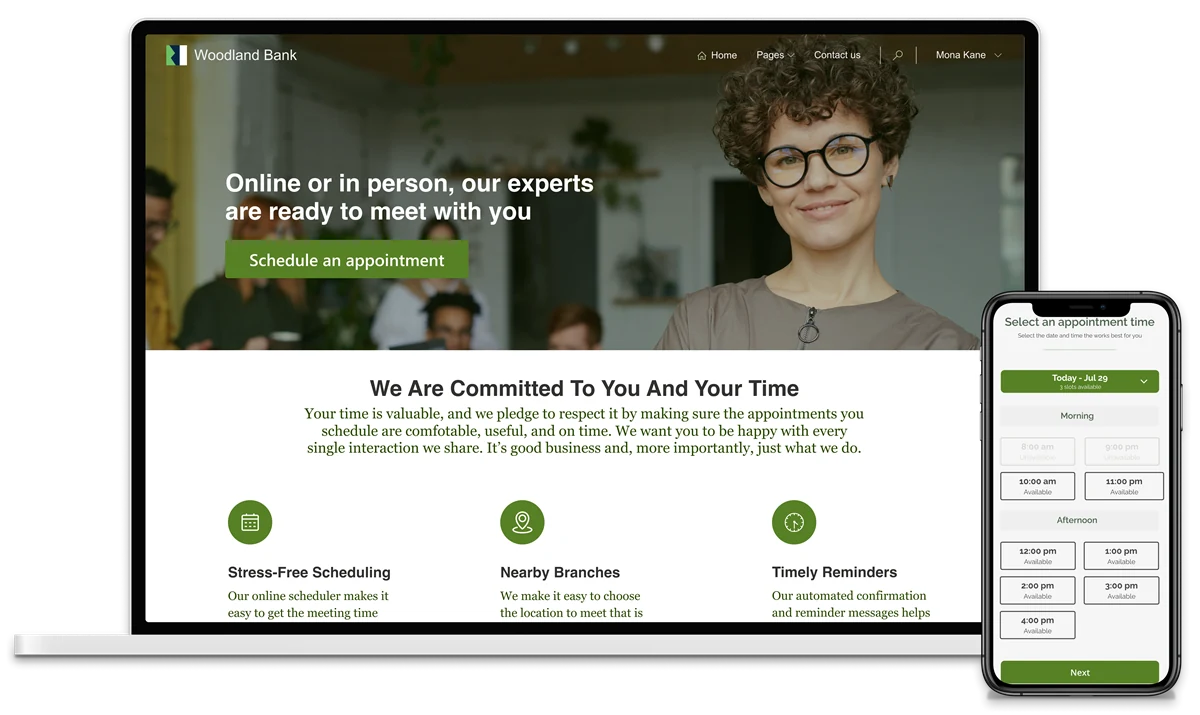
Define the portal through the work users can complete
A portal specification should describe outcomes rather than a list of menus. A customer may need to view an order, download a permitted document and raise a query. A supplier may need to submit onboarding information, update an expiring certificate and respond to a request. Each action has a different owner, status and access boundary.
For a hypothetical distributor, supplier registration might require internal approval before commercial information becomes available. The first release could therefore focus on invitations, company details, document submission, review and a clear status view. Transaction access can follow once identities and organization mappings are reliable. This sequencing is a delivery recommendation, not a platform restriction. It reduces the number of unresolved decisions in the first milestone and gives the buyer a more useful basis for selecting a portal developer.
Separate identity from permission to see business records
Power Pages associates authenticated users with Dataverse contact records and supports configured identity providers. Table permissions and web roles control access to relevant Dataverse data. These are related concerns, but a successful sign-in should not be treated as proof that every business record is safe to display.
Ask a Power Pages developer to explain the experience for an invited supplier contact, a supplier administrator and an internal reviewer. Then ask what changes when a contact leaves the supplier or moves to another company. The answer should cover revocation and data access, not only account creation. Include negative tests: one supplier must not retrieve another supplier’s records by changing a URL or using an exposed endpoint. Record who approves the permission model and which accounts are used to demonstrate it.
Design onboarding as a process with realistic exceptions
Onboarding rarely ends when a form is submitted. A reviewer may request a clearer document, reject a registration or return one section while accepting another. A supplier may need a colleague to complete financial information. Decide whether an invitation expires, whether duplicate organizations are merged and who may change a registered email address.
Create status definitions the business can explain consistently. Submitted, under review, returned and approved should have visible meanings and allowed actions. Avoid a dashboard that displays a status without telling the user what to do next. During the interview, ask the candidate to sketch a returned application journey, including notifications and resubmission. A developer who understands these details can help prevent support questions that otherwise appear immediately after launch. Agree whether earlier document versions remain visible and who can see review comments.
Map each portal action to its system of record
A portal connected to Dynamics 365 Business Central or another business application needs explicit transaction ownership. Does a new address update the ERP immediately, create a review request or remain only in the portal? What does the user see while the change is pending? A visually successful submission should not imply that the destination system has accepted it when it has not.
Bring a Power Pages integration specialist into the discussion when the site reads or writes business transactions. Ask for a mapping that identifies the authoritative system, identifier, validation rule and recovery owner for each exchange. Integration is not complete merely because a happy-path record arrives successfully.
| Portal action | Decision to make | Acceptance example |
|---|---|---|
| Update supplier details | Direct change or approved request | User sees pending status until acceptance |
| View order information | Source and refresh expectation | Displayed status is explained consistently |
| Upload a certificate | Storage owner and review process | Reviewer can trace the approved version |
| Retry a failed submission | Duplicate prevention and support ownership | A retry does not create a second transaction |
Need this expertise in your team?
Start with the workstream, expected outcome and working hours.
Make documents and company relationships first-class requirements
External portals often become document exchanges. List the document types, size expectations, ownership rules and review dates. A purchase document, quality certificate and internal review note should not automatically follow the same visibility rule. Decide whether a user can download a document after their company relationship ends and what the business expects to retain.
Also examine company structures. A contact may represent one branch, several legal entities or a parent organization. A single organization field may be insufficient for the business relationship. Do not assume all contacts at a company should see everything. Ask for examples that include multiple contacts and more than one organization. These scenarios are especially useful during selection because they reveal whether the developer thinks in terms of controlled business access or only website pages. Your business and security owners should approve the resulting rules.
Balance usable design with trustworthy status information
Portal users should be able to find current tasks, pending items and relevant documents without understanding your internal ERP vocabulary. Use familiar labels and concise explanations beside difficult fields. Show whether a submission has been received, accepted or returned. A single success message can be misleading when several back-end steps remain.
Ask a Power Pages UX developer to review the important journeys if external user experience is a substantial part of the scope. Test mobile layouts, keyboard use, validation messages and long company names. For international audiences, confirm actual language requirements, date formats and support hours. A portal used in Mexico and Germany may need different content choices; adding country names to a page does not solve them. Have representative users complete a task without coaching and record where clarification is needed.
Consider the help users need when they cannot complete a task. A supplier whose registration is returned should see a specific correction request and an appropriate contact route. An unavailable document should not lead to an unexplained blank page. Ask the resource to include these states in design review, with wording approved by the business. This is particularly useful for occasional users who may not remember earlier training and must understand the next step from the portal itself.
Structure milestones around complete, testable journeys
A page-by-page delivery plan can leave all integration and permission risks until the end. Prefer milestones that complete a useful journey across the interface, permissions, data and notifications. An invitation-to-approved-supplier milestone is easier for a business owner to assess than a collection of unfinished screens.
Use the Hourly Model for a security review, integration investigation or existing portal improvement. Project Based delivery fits an agreed set of journeys with known integration boundaries. Dedicated Resource hiring fits an evolving portal with a regular backlog and internal product ownership. Specify who answers process questions, who supplies approved content and who accepts each milestone. Where teams work across India, North America and Europe, arrange a practical overlap for business demonstrations and issue decisions rather than assuming every participant is available throughout the day.
Require a portal-specific acceptance and handover pack
Acceptance should include business isolation, normal use and recovery. Test with ordinary external accounts, not just maker or administrator access. Include incorrect invitations, duplicate submissions, expired documents and a destination system that is temporarily unavailable. Have an internal reviewer follow the same instructions they will receive after launch.
The handover should describe the access model, integration ownership, operational checks and how a future change will be reviewed. Include a contact removal exercise so the support team can demonstrate offboarding. Document the assets and content that business owners may update without development assistance.
- Test customer and supplier access with separate organizations.
- Confirm that rejected and returned applications have clear next steps.
- Verify document visibility, version handling and download permissions.
- Demonstrate failed integration recovery without duplicate business transactions.
- Record support ownership and the approved process for changing permissions.
Before your next hiring conversation.
Can one Power Pages portal serve both customers and vendors?+
It may, provided the design deliberately separates their permissions, journeys and data relationships. A shared visual shell does not mean shared record access. Assess whether combined navigation remains understandable and test users who have unusual relationships. Ask the architect to compare a shared portal with separate experiences before committing to either structure.
Will portal users need access to our ERP interface?+
The portal can provide a separate business experience, but the exact access and licensing design depends on the architecture and product terms. Define the actions external users need and have the appropriate specialists validate the arrangement. Avoid assuming that hiding an ERP behind a portal removes all underlying access, integration or licensing considerations.
What should we provide before asking for portal developer profiles?+
Provide user types, organization relationships, target journeys, source systems and representative documents. Explain the approval process and any existing identity provider. Include desired languages, expected usage and the first release boundary. These details help distinguish a portal configuration assignment from one requiring substantial integration, architecture or user-experience expertise.
Your next step
For a Power Pages resource enquiry, share the external users you serve, their allowed actions and the business systems behind the portal. Sirius Dynamics can discuss developer, integration and user-experience profiles against that scope. Include your preferred engagement model and one complete journey for the first milestone. If identity or organization access is still unresolved, begin with a focused assessment before committing to the full portal build.
Check the product detail.
Official references for the product and delivery considerations discussed here. The hiring recommendations and illustrative scenarios are Sirius Dynamics editorial guidance.
- Overview of authentication in Power Pages ↗Supports contact-based user identity and configured identity providers.
- Configuring table permissions ↗Supports table permissions and web roles; portal testing and delivery recommendations are editorial guidance.